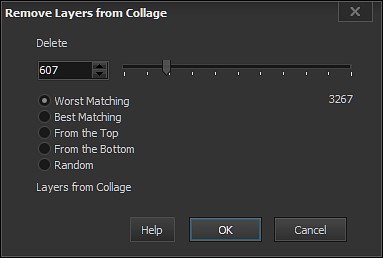
Select from Layers - Remove Layers on Condition menu to open Remove Layers on
Condition dialog box.
You may select number of layers <N> you wish to remove by entering the number into text box or
by moving slider bar.
To select a removing criteria please check on one of radio buttons:
Worst Matching - will delete <N> layers with Worst Matching pictures.
Best Matching - will delete <N> layers with Worst Matching pictures.
From the Top - will delete <N> layers starting from the top.
From the Bottom - will delete <N> layers starting from the bottom.
Random - will delete <N> random layers.