|
|
Photo Jumble for MS Windows
An easy way to assemble multiple photos on one page.
Copyright (C) 2006-2021 by Boris A. Glazer.
All Rights Reserved
|
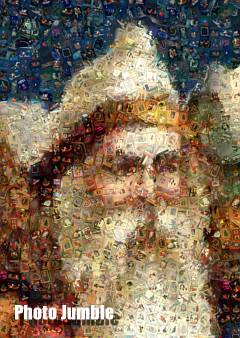
Photo Jumble can create mosaics and photo collages.
Compared with Image Mosaic Program Mazaika
- Photo Jumble uses a different approach to making
collages. In Photo Jumble you can create collages with non regular, randomly placed, rotated and even non rectangular layers with different aspect
ratios.
Photo Jumble allows you to create magnificent collages that look like an unordered pile of photos or
objects viewed close up. It can also be used to easy create scrapbook type collages, index photo pages
and so on...
You can use almost anything as tiles: photos, drawings, video frames, magazine/book/CD/LP/video
covers, postcards, post stamps, etc...
The program places a different sized and rotated image layers over the source image.
|
|
Software supports both 32 and 64-bit systems
Photo Jumble for macOS is a different program
|
Main Features:
Maximum Layers Number: 32000
If you need mosaic with more tile number please use our Image Mosaic program Mazaika
Picture database size: Unlimited
Mosaic resolution: Unlimited
Maximum output size: Unlimited
Please save files larger than 30,000x30,000 pixels as .psb file format.
Support for Drag and Drop interface
You may Drag and Drop images into tile layers.